imperium hid

Android 9+ // Bluetooth HID

imperium

Zero-companion Bluetooth HID mouse, keyboard, and media controller for Windows PCs from Android. Pair once in Windows Bluetooth settings and control your PC with no desktop software required.

Screenshots

imperium trackpad view with top-row media and volume controls, edge scroll bar, and square keyboard button
Trackpad & Media Bar Top-row media/volume controls, configurable edge scroll bar, and square keyboard toggle.
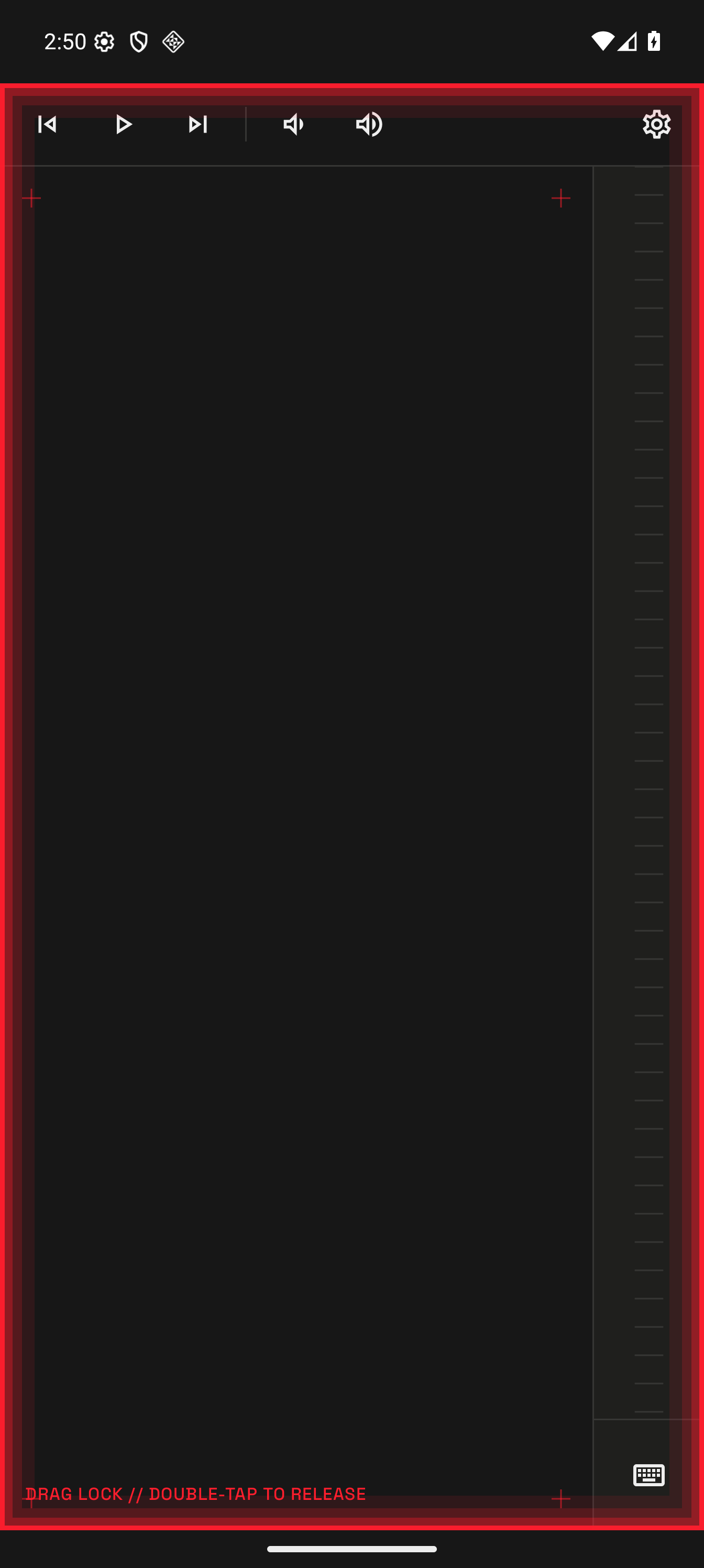
imperium trackpad with glowing neon red screen border indicating Drag Lock is active
Drag Lock Double-tap to lock left-click down with a glowing neon red outline; double-tap again to release.
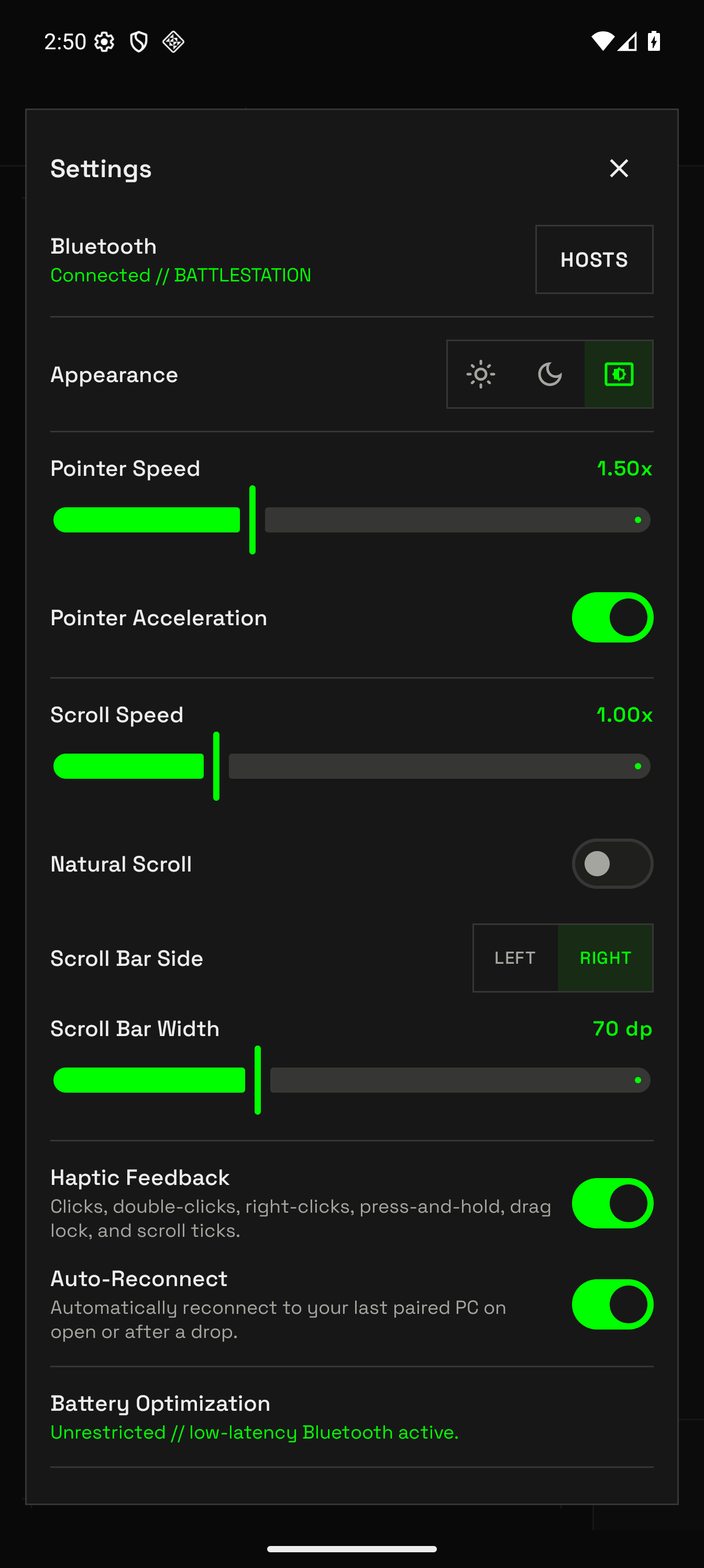
imperium Settings dialog showing Bluetooth hosts, appearance picker, pointer speed, and scroll bar width controls
Settings Bluetooth hosts, theme picker, pointer speed, scroll bar width/side, haptics, and auto-reconnect.

Capabilities

Bluetooth HID Mouse

Coalesced 100 Hz high-priority HID reports with adjustable pointer speed, acceleration, and automatic reconnect.

Live Keyboard + PC Keys

Stream native Android typing, swipe, and voice input straight to Windows, plus sticky CTRL, ALT, WIN, SHIFT, PASTE, arrows, and F1-F12.

Media & Edge Scroll

Top-row track and volume controls, plus an always-present configurable-width edge scroll bar on either side.

Trackpad Gestures

1-Finger Slide
Move pointer with configurable speed and acceleration.
1-Finger Tap
Left click.
1-Finger Press & Hold
Left click-and-hold; drag while held and release on lift.
1-Finger Double-Tap
Toggle Drag Lock on or off (glowing neon red screen border while active; single taps ignored).
2-Finger Tap
Right click.
2-Finger Double-Tap
Double click.
Edge Scroll Bar
Vertical scroll wheel with configurable width (44-120 dp), side, speed, and natural scroll.

Pairing With Windows

  1. Install imperium from GitHub Releases or klobstore and grant Bluetooth access.
  2. Open Settings → Bluetooth → HOSTS and tap MAKE DISCOVERABLE.
  3. On Windows, open Settings → Bluetooth & devices → Add device → Bluetooth and pair your phone.
  4. Tap your PC in imperium to connect. Auto-reconnect handles future sessions automatically.